
The Best Tools to Pair With Google Maps for an Automated Lead Machine
Google Maps is arguably the richest database of local business information on the planet. It holds millions of accurate, location-verified data points—yet it remains one of the least optimized sources for scalable lead generation. Why? Because raw map data is messy, disconnected, and notoriously difficult to operationalize manually.
For most agencies and sales teams, the dream of a "local lead machine" turns into a nightmare of manual copy-pasting, fragmented spreadsheets, and inconsistent contact info. Without a proper system, you are left with a list of businesses but no way to contact them effectively. Manual scraping kills scalability, while poor data enrichment kills deliverability.
This guide provides the systems-first blueprint to fix that broken pipeline. Drawing from NotiQ’s experience consulting on 50+ outbound tech stacks for agencies, we will break down the exact tools for maps outreach, the necessary automation layers, and the complete outbound tech stack required to turn Google Maps into a reliable revenue engine.
Why Google Maps Prospecting Fails Without Automation
The primary reason agencies fail at local prospecting isn't a lack of leads; it's a lack of data integrity. Google Maps is designed for navigation and discovery, not for CRM ingestion. Consequently, the data is often unstructured for sales purposes.
Without automation, you face immediate friction: hours of operation are formatted strangely, websites are missing or redirect to Facebook pages, and decision-maker emails are nonexistent on the Maps listing itself. Most tutorials suggest simple "scraping," but they fail to address what happens next. Inconsistent Google Maps data scraping leads to high bounce rates and generic messaging that gets ignored.
To build a sustainable pipeline, you must move beyond simple extraction and think in terms of workflows. This is where NotiQ steps in as the systems-thinking solution, helping agencies solve workflow fragmentation by architecting robust, error-free automation pipelines.
The Hidden Bottlenecks in Maps-Based Prospecting
If you rely on manual entry or basic browser extensions, you will quickly hit a ceiling. The hidden bottlenecks in maps scraping tools include:
- Data Decay: A business listed as "open" might have closed permanently last month, but the listing hasn't updated.
- Missing Contact Info: Maps provides a phone number and a generic website link, but rarely a verified email address for a specific decision-maker.
- Categorization Chaos: A "marketing agency" on Maps might actually be a print shop or a freelancer, clogging your pipeline with irrelevant leads.
- Formatting Issues: Addresses often come in single strings (e.g., "123 Main St, NY") rather than parsed fields required for CRM entry, breaking your ability to segment by city or state.
Using Google Maps lead generation tools without a cleaning and enrichment layer ensures that your sales team spends 80% of their time fixing data and only 20% selling.
Compliance and Data Handling Risks
Automation must be paired with strict compliance. Scraping public data is a powerful tactic, but it carries legal and ethical responsibilities.
When extracting data, you must adhere to the platforms' terms of service. For example, Google is explicit about how its data can be cached and used. You should review the Google Maps Places API policies to ensure your storage and usage of data are compliant.
Furthermore, public data is not a free-for-all. The Federal Trade Commission (FTC) has made it clear that businesses using public data for commercial background checks or eligibility decisions must follow strict guidelines. While lead generation is distinct from credit reporting, the principles of data accuracy and privacy remain critical. You can read more about why the FTC says public data is not free and why your business needs to take this seriously.
Safe data enrichment and public data compliance are not just legal checkboxes; they protect your domain reputation and ensure long-term viability.
Essential Tools for a Maps-to-CRM Lead Pipeline
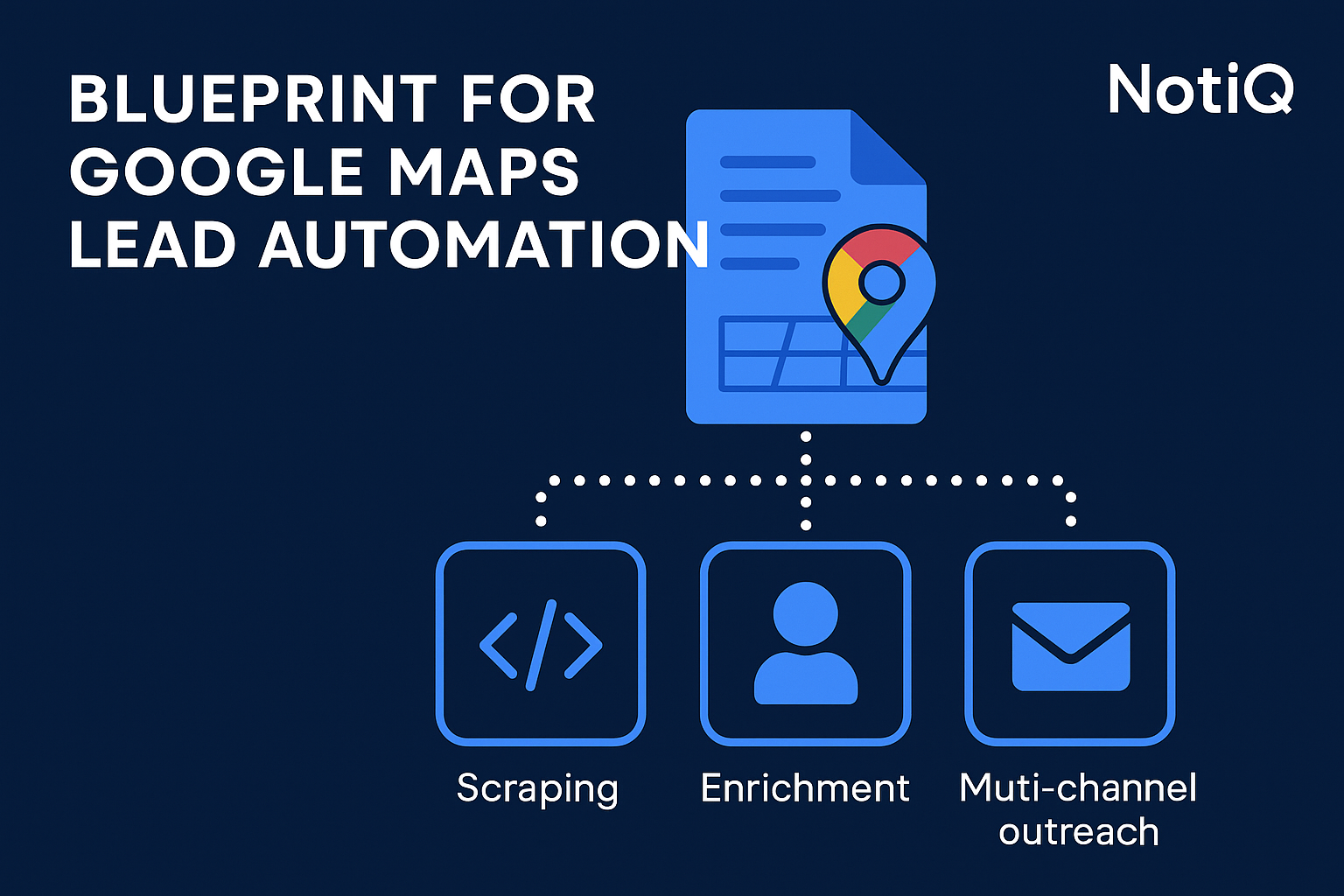
A scalable outreach system is never just one tool; it is a stack of specialized software working in concert. To build the best tech stack for Google Maps outreach, you need to categorize your tools into four distinct functions: Extraction, Enrichment, Verification, and Routing.
Scraping & Extraction Tools (Clay, ScraperAPI, Make, API-based)
The first step is getting the data out of the map and into a structured format.
- Clay: Clay has rapidly become a favorite for its ability to combine extraction with enrichment in a spreadsheet-like interface. It excels at Clay Google Maps scraping workflows where you need to map search queries (e.g., "Plumbers in Austin") directly to a table.
- ScraperAPI / Apify: For developers or technical agencies, these tools offer robust infrastructure to handle proxies and headless browsers. They are excellent for ScraperAPI local business extraction at high volumes but require more technical setup to parse the JSON data effectively.
- Make (formerly Integromat): While not a scraper itself, Make is the glue. It can trigger API calls to Google Places API to fetch standardized, compliant data sets based on specific triggers.
Limitation Warning: Most raw extraction tools provide only the business name, address, and generic phone number. This is where the process usually breaks down without the next layer.
Enrichment & Verification Tools (Apollo, Dropcontact, others)
Once you have the raw domain or company name, you need to find the humans behind the business. This is where lead enrichment automation becomes critical.
- Apollo: A powerhouse for finding decision-maker emails. You feed the business website from Maps into Apollo’s API to retrieve specific contacts (CEOs, Founders, Marketing Directors).
- Dropcontact: Excellent for European markets and for cleaning up data. It standardizes names (turning "JOHN DOE" into "John Doe") and validates email formats.
- BuiltWith: Useful for technical enrichment. If you are selling SEO or web design, you need to know what tech stack the prospect is currently using before you reach out.
Enrichment transforms a map pin into a prospect. Without it, you are just cold calling main lines.
CRM Routing & Data Hygiene Tools
The final piece of the intake puzzle is automated lead intake and CRM syncing.
- HubSpot / Pipedrive / Close: Your CRM should be the source of truth.
- Zapier / Make: These automation platforms handle the routing. They should be set up to check for duplicates (using the phone number or website as a unique identifier) before creating a new deal.
- Data Hygiene Scripts: Simple scripts that ensure state abbreviations are standardized (e.g., changing "Texas" to "TX") so that your CRM's territory routing works correctly.
How to Build a Fully Automated Outreach Workflow
Tools are useless without a process. A truly automated outreach stack operates as a pipeline where data flows from one stage to the next without human intervention until a reply is received.
Step-by-Step Pipeline Blueprint
To build a Google Maps lead generation automation machine, structure your workflow as follows:
- Stage 1: Intake: A "Search Loop" runs (via API or Clay) to identify new businesses in target cities.
- Stage 2: Filtering: The system discards businesses with no website or those that match negative keywords (e.g., "Chain," "Starbucks").
- Stage 3: Multi-Source Enrichment: The system queries Apollo for contacts. If no result is found, it falls back to a secondary provider like Hunter or lusha.
- Stage 4: Verification: All found emails are pinged via a verification tool (like NeverBounce or ZeroBounce) to ensure they are safe to send.
- Stage 5: Routing: Valid leads are pushed to the CRM.
- Stage 6: Activation: The CRM adds the contact to an active campaign.
This automated lead machine ensures that your sales team wakes up to enrolled prospects, not CSV files.
Triggering Multi-Channel Outreach (email, social, calls)
Modern scaled prospecting requires meeting the prospect where they are.
- Email: Once a lead hits the CRM, tools like Instantly or Smartlead can automatically begin a warmed-up email sequence.
- LinkedIn: If a LinkedIn URL is found during enrichment, automation tools can queue a connection request task or a profile visit to simulate interest.
- Phone: For high-value local leads, the system can create a "Call Task" in the CRM for the sales rep, complete with the local time and context from the Maps listing.
This multi-channel outreach approach significantly increases conversion rates compared to email-only campaigns.
Fixing Breakpoints in Automation
Automation is fragile. Common failure modes include API rate limits, changes in data formatting, or "zombie leads" (businesses that exist on Maps but are inactive).
To ensure automation reliability, you must build error handling into your Make or Zapier scenarios.
- Error Watchers: Set up alerts (Slack or Email) if an API call fails more than 3 times in a row.
- Fallback Values: If a "First Name" is missing, ensure your email template defaults to a generic greeting rather than sending "Hi {First_Name}."
- Workflow Automation Errors: Regularly audit your logs to see if leads are getting stuck at the enrichment stage due to low match rates.
Optimizing Enrichment, Verification, and Personalization
The difference between spam and a helpful cold email is context. Lead enrichment automation allows you to craft messages that feel researched, even if they were generated automatically.
Building Enrichment Logic Trees
Don't rely on a single data provider. Build an enrichment workflow with "waterfall" logic:
- Primary Check: Query Apollo for a verified email.
- Secondary Check: If Apollo returns "null," query Dropcontact.
- Tertiary Check: If both fail, route the lead to a "Manual Research" view for a virtual assistant.
- Validation: Regardless of the source, pass the email through a dedicated verifier like Rejection or MillionVerifier.
This data verification tree ensures you maximize coverage while minimizing bounce rates.
Crafting Location-Aware Personalization
Google Maps data offers unique angles for hyper-personalized outreach. Because you know the physical location, you can reference:
- Neighborhoods: "I saw you're located near the [Local Landmark]..."
- Competition: "We helped [Nearby Competitor Name] in [City] improve their rankings..."
- Reviews: "I noticed you have a 4.8-star rating on Maps—congrats on the great service."
Location-based prospecting creates immediate trust because it proves you aren't just blasting a list of global emails.
Deliverability & Data Quality Safeguards
Nothing kills an automated outbound stack faster than a domain blacklist. Data quality is your insurance policy.
- Strict Verification: Only email "Safe" or "Valid" statuses. Never email "Catch-all" or "Risky" addresses from your primary domain.
- Warm-up: Always keep your sending domains in a warm-up pool to maintain high sender reputation.
- Volume Control: Cap your sending volume per inbox.
Prioritizing email deliverability ensures your message actually lands in the inbox where the personalization can do its work.
Recommended Tech Stack for Agencies
Depending on your budget and technical capability, here are three tiers for the best tech stack for Google Maps outreach.
Starter Stack (lean, simple, low-cost)
Ideal for freelancers or small teams just starting with local lead gen.
- Source: Manual Google Maps search or basic browser extension.
- Enrichment: Apollo (Free/Starter plan).
- Verification: Bulk email verifier (pay-as-you-go).
- Sending: Instantly or Smartlead.
- Pros: Low cost, easy to set up.
- Cons: High manual effort, difficult to scale beyond 100 leads/week.
Scaling Stack (agency-grade automation)
For agencies managing multiple clients or higher volumes.
- Orchestration: Clay (central hub for data).
- Source: Clay’s internal Maps integration or ScraperAPI.
- Enrichment: Clay waterfalls (combining Apollo, Findymail, etc.).
- CRM: HubSpot or Pipedrive.
- Automation: Make.com for routing.
- Pros: Highly scalable prospecting, minimal manual touch, excellent data quality.
Enterprise or Multi-Client Stack
For large lead generation agencies requiring robust governance and custom workflows.
- Infrastructure: Custom Python scripts running on cloud servers (AWS/GCP) accessing Google Places API directly.
- Enrichment: Enterprise API subscriptions to ZoomInfo or Clearbit.
- Orchestration: Custom middleware to route leads to different client sub-accounts.
- Analytics: Looker Studio or Tableau for reporting on pipeline health.
This level allows for client-ready workflows that can be cloned and deployed rapidly. As the industry matures, strategies shift. For a deeper look at how outreach methodology is changing, read about the evolution of outreach to understand where these high-volume systems fit into the modern landscape.
Conclusion
Google Maps is a goldmine, but without the right equipment, you are just digging with a spoon. The best automated outreach stack does not just extract data; it refines it. By combining compliant extraction, multi-stage enrichment, and rigorous verification, you transform raw location data into a pristine list of future customers.
The goal is a systems-first approach: a machine that runs in the background, feeding your sales team high-quality conversations so they can focus on closing.
If you are ready to stop guessing and start building a custom outbound architecture that scales, explore NotiQ for expert guidance on constructing your agency's automation infrastructure.
Frequently Asked Questions
What’s the best tool for automating Google Maps lead generation?
There isn't one single tool that does everything perfectly. However, Clay is currently the leading platform for integrating Google Maps data with enrichment providers. It acts as a central hub, allowing you to pull data from Maps and immediately enrich it with emails and phone numbers using waterfall logic, making it the most cohesive of the Google Maps lead generation tools.
How do I scale Maps prospecting without manual work?
To scale location-based prospecting, you must move away from manual "copy-paste" tasks and browser extensions. Instead, utilize API-based extractors (like ScraperAPI or Apify) connected to an automation platform like Make.com. This allows you to process thousands of records automatically, filter them by criteria, and sync them directly to your CRM without human intervention.
What’s the safest way to extract data from Google Maps?
The safest way is to use the official Google Places API, which ensures you are accessing data in a way that complies with Google's terms. If you are using third-party data providers, ensure they source their data legally. Furthermore, always adhere to privacy regulations regarding how you use that data for outreach. For a comprehensive list of privacy best practices, refer to these Privacy and Data Security Do's and Don'ts to avoid regulatory enforcement.
.svg)

