
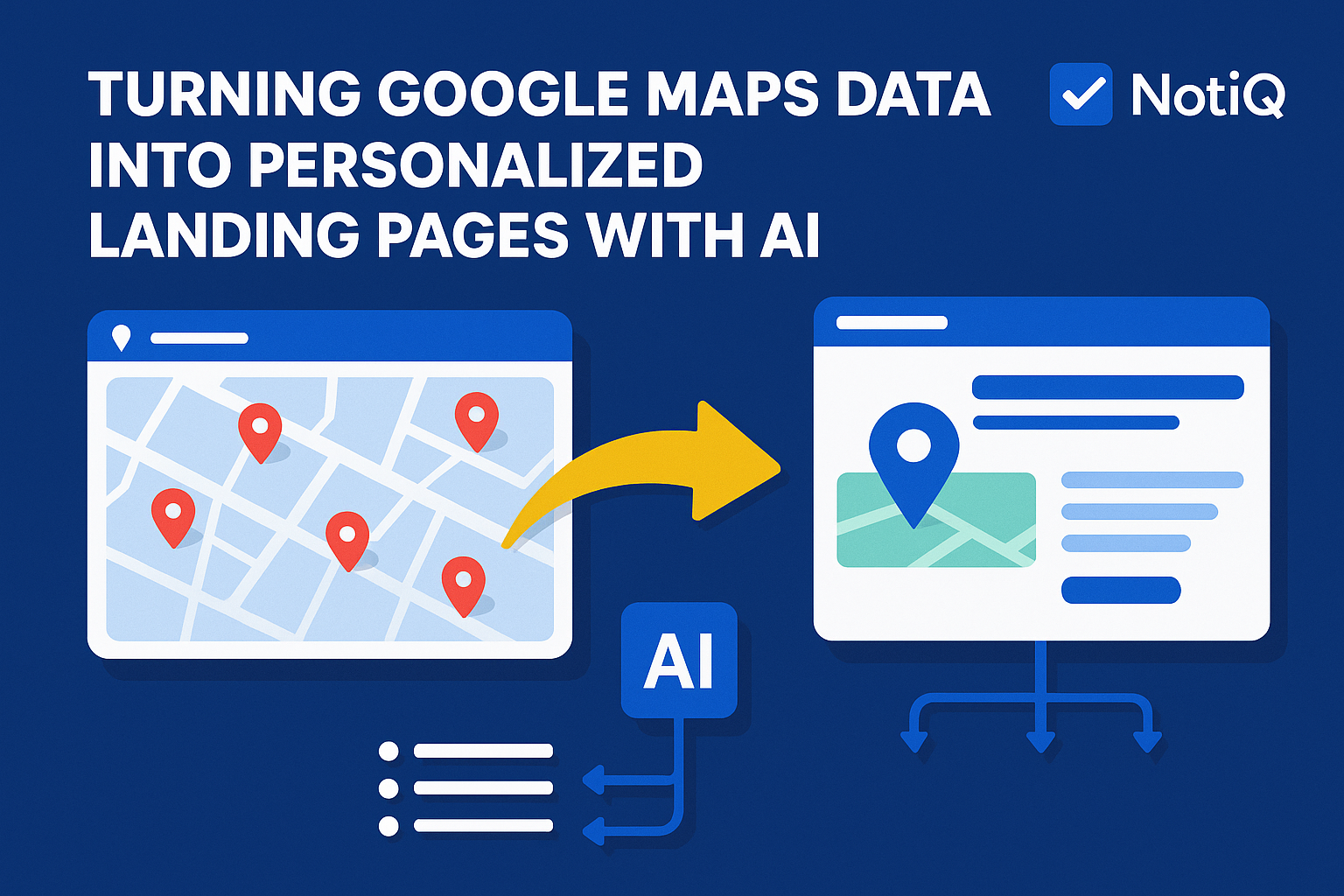
Turning Google Maps Data Into AI‑Personalized Landing Pages at Scale
You have likely stared at a spreadsheet filled with thousands of rows of raw Google Maps data—business names, addresses, and review counts—and wondered how to bridge the gap between that messy list and a high-converting outbound campaign. The data is accessible, but transforming it into a personalized experience for each prospect is the bottleneck that stifles scale.
Most teams settle for generic email blasts because manually building thousands of landing pages is impossible, and traditional mail merge tools only swap out names. This approach wastes the rich, hyperlocal signals hidden within map data.
This is where the next generation of AI workflows changes the game. By automating the transition from raw map data to dynamic, hyperlocal landing pages, you can build outbound funnels that feel bespoke to every single recipient. At NotiQ, we specialize in these AI-personalized outbound funnels, turning geolocation insights into conversion engines.
Here is how you can turn static map entries into dynamic, high-performing assets.
Table of Contents
- Why Google Maps Data Is a Goldmine for Outbound
- Common Bottlenecks in Maps-to-Funnel Workflows
- AI Workflow: From Scraped Maps Data to Dynamic Landing Pages
- Hyperlocal Personalization That Scales
- How NotiQ Unifies Data, Personalization, and Funnel Automation
- Case Studies & Real Examples
- Tools, Templates & Resources
- Future Trends in AI-Powered Outbound
- FAQ
Why Google Maps Data Is a Goldmine for Outbound
Google Maps is arguably the most accurate, real-time database of business intent and activity in the world. Unlike static B2B databases that may update quarterly, map data reflects the physical reality of a business right now. For outbound marketers, this offers a layer of context that standard enrichment tools simply cannot match.
When you extract data ethically—adhering to guidelines such as those found in the Google Maps Platform documentation—you aren't just getting an email address. You are getting the "digital footprint" of a physical location. This allows for location-based personalization, where your outreach can reference specific neighborhoods, local landmarks, or review trends that prove you aren't just a bot blasting a list.
While tools like ZoomInfo or Apollo excel at corporate hierarchy, they often lack the granular, street-level context that makes a cold offer feel warm. If you are targeting local service businesses, retail chains, or real estate professionals, map data is your strongest leverage.
Discover how NotiQ leverages this data to power automated outbound funnels.
The Types of Data Maps Provides for Personalization
To build a truly dynamic landing page, you need more than a first name. Google Maps provides three distinct layers of data:
- Geo-Spatial Data: Exact coordinates, street addresses, and neighborhood names. This allows you to generate copy like "Helping businesses in [Neighborhood Name]" rather than just "Helping businesses in [City]."
- Operational Data: Business categories, opening hours, and years in business.
- Social Proof & Sentiment: Review counts, star ratings, and snippet text from customer feedback.
These fields are the raw materials for map data enrichment, allowing AI to construct a narrative for every single prospect.
Why Maps Leads Convert Better
Leads sourced from map data generally exhibit higher intent and responsiveness for local offers.
- Tangibility: The business has a physical presence, making them more likely to respond to offers regarding infrastructure, local SEO, or foot traffic.
- Relevance: When you mention a prospect's specific location or rating, you trigger a "cocktail party effect"—they pay attention because the information is immediately recognizable as their own.
- Evidence: According to research from Harvard Business School (HBS) on personalization, tailoring content to a user’s specific context significantly increases engagement. Maps data provides the most concrete context available: where they work every day.
Common Bottlenecks in Maps-to-Funnel Workflows
Despite the value of the data, executing a campaign is difficult. The chasm between a raw JSON file of map data and a polished landing page is vast. Most marketers fail here because they lack the infrastructure to handle unstructured map data solutions effectively.
Furthermore, handling this data requires strict adherence to privacy and security standards. Referencing frameworks like the NIST Privacy Framework helps ensure that as you process business data, you are managing risk and privacy expectations responsibly.
Data Cleaning Challenges
Raw map data is rarely ready for marketing.
- Inconsistency: One business is listed as "Main St. Cafe," another as "Main Street Caffe LLC."
- Missing Fields: Some entries lack websites; others have generic "contact us" pages.
- Categorization Errors: A dentist might be miscategorized as a general medical clinic.
If you feed bad data into an AI generator, you get "hallucinated" personalization that destroys trust.
Fragmented Tool Stacks & Workflow Breakdowns
The typical workflow for outbound personalization at scale is a logistical nightmare. A marketer might scrape data with one tool, clean it in Excel, enrich it in Clay, write copy in ChatGPT, and then struggle to push it into a landing page builder like WordPress or Webflow.
- The Disconnect: Most landing page builders are not designed to auto-generate 5,000 unique pages from a spreadsheet.
- The Competitor Gap: Tools like Apollo or Instantly are fantastic for email, but they stop at the inbox. They do not extend the personalization journey to the landing page, leaving a gap where the prospect clicks a link and lands on a generic "Home" page.
When Generic Messaging Kills Deliverability & Engagement
When the workflow breaks, marketers revert to generic messaging. They send the same "Hi [Name]" email to 10,000 people. This signals to spam filters that you are blasting low-quality content, hurting deliverability. More importantly, it signals to the prospect that you haven't done your homework, resulting in low reply rates and wasted leads.
AI Workflow: From Scraped Maps Data to Dynamic Landing Pages
To solve these bottlenecks, successful teams are deploying fully automated ai outbound funnels. This workflow moves data linearly from source to asset without manual intervention.
Step 1 — Extracting Data from Google Maps
The first step is gathering the raw intelligence. Whether utilizing the official Places API or compliant extraction methods, the goal is to capture the "Long Tail" of business attributes. Do not just grab the name and phone number. Ensure you capture the CID (Customer ID), review snippets, and precise latitude/longitude.
- Note: Always adhere to the Google Maps Platform terms of service regarding caching and data retention to ensure your workflow remains ethical and compliant.
Step 2 — Automatically Structuring & Cleaning Data
Once the data is retrieved, it must be standardized. AI agents are perfect for this. You can run a script that asks an LLM to:
- "Normalize 'St', 'Str', and 'Street' to 'Street'."
- "Infer the primary industry from the business name if the category is vague."
- "Cluster businesses by neighborhood."
This transforms a messy CSV into a structured database ready for automating landing page personalization.
Step 3 — Generating Dynamic Landing Page Copy & Assets
With structured data, you can now use an ai landing page generator approach. Instead of writing one headline, you define a formula.
- Headline: "Helping [Business Name] Dominate the [Neighborhood] Market."
- Hero Section: "We noticed you have a [Rating] star rating. Let's get that to 5.0."
- Social Proof: "Join other [Industry] pros in [City] who trust us."
The AI generates unique copy for every single row in your database, ensuring that no two landing pages look exactly alike.
Step 4 — Auto‑Deploying Pages into Outbound Funnels
Finally, these pages need to go live. Advanced workflows push this content into a dynamic page hosting environment where the URL parameter (e.g., domain.com/offer?business=123) dictates the content.
- Enhance these pages further by integrating AI-personalized first lines via RepliQ.
- Embed personalized AI videos directly into these landing pages to skyrocket engagement.
Hyperlocal Personalization That Scales
The secret ingredient that competitors ignore is hyperlocal personalization. Most "personalized" campaigns stop at the industry level. By going granular—down to the street or district—you create context-aware landing pages that feel incredibly high-touch.
Research from HBS and other marketing institutes consistently shows that personalization based on verifiable external data (like location) increases trust because it proves the sender is "real."
City-Level Personalization
At the macro level, your landing page should reflect the city.
- Imagery: Dynamically swap the hero background image to a skyline of the prospect's city.
- Copy: "The best solution for [City] business owners."
Neighborhood-Level Personalization
This is where map data shines.
- Context: "We know parking in [Neighborhood] can be tough for your customers."
- Proximity: "We are currently working with 3 other businesses near [Famous Local Landmark]."
This signals that you understand their immediate environment, not just their zip code.
Industry-Specific Personalization
Map categories allow you to pivot your value proposition instantly.
- For a Restaurant: "Fill your tables during the Tuesday slump."
- For a Roofer: "Get more leads after the recent storm in [City]."
Multi-Modal Personalization
Text is just the beginning. By integrating tools like RepliQ, you can embed a video where an AI avatar speaks the prospect's name and references their location while scrolling through their website or map listing. This multi-modal approach—text, visual, and video—creates an immersive experience that static pages cannot compete with.
How NotiQ Unifies Data, Personalization, and Funnel Automation
The workflow described above is powerful, but building it from scratch requires stitching together five or six different software platforms. NotiQ solves this by unifying the entire stack.
NotiQ is designed specifically for ai outbound funnels and automated landing pages. We do not just provide the data or the page builder; we provide the end-to-end pipeline. From the moment a lead is identified on Maps to the moment they land on a personalized URL, NotiQ manages the data flow.
See how NotiQ unifies scraping, structuring, and landing page deployment.
Why NotiQ Beats Fragmented DIY Stacks
Building a DIY stack involves paying for a scraper, an enrichment tool, an AI writer, a landing page host, and an email sender. NotiQ consolidates this.
- Unified Data Model: The data you extract is immediately available for the landing page without complex CSV exports.
- Native Personalization: Our system understands map data structure, meaning you don't have to teach the AI what a "latitude" is—it already knows how to use it for personalization.
Optimization Loops That Improve Engagement
Because NotiQ controls the funnel, we can implement feedback loops. If leads from "Downtown" are converting higher than leads from the "Suburbs," the system can identify this trend. We allow for A/B testing on a massive scale—testing different headlines for different industries automatically to maximize engagement.
Case Studies & Real Examples
Does this actually work? The results from google maps lead generation campaigns speak for themselves.
Case Study 1 — Hyperlocal Landing Pages for Local Service Businesses
A digital marketing agency targeting HVAC companies used raw map data to identify businesses with 4.0-4.5 star ratings (good, but not perfect).
- Strategy: They generated 2,000 unique landing pages.
- The Hook: "You are the top-rated HVAC in [Neighborhood], but your competitors in [Adjacent Neighborhood] are outranking you."
- Result: A 300% increase in booked appointments compared to their generic "We do SEO for HVAC" campaign.
Case Study 2 — Multi-City Outreach at Scale
A SaaS company expanding into the UK market needed to target restaurants in London, Manchester, and Birmingham simultaneously.
- Strategy: Instead of one generic "UK Launch" page, they used NotiQ to deploy city-specific pages.
- Personalization: The pages referenced local food festivals and districts relevant to each city.
- Result: They achieved a 45% open rate on cold email and a 12% click-through rate to the landing pages, drastically lowering their customer acquisition cost (CAC).
Tools, Templates & Resources
To get started with location-based marketing automation, you need a checklist:
- Data Source: Ensure you have access to clean, compliant map data (Google Places API or verified partners).
- Structuring Tool: An LLM or Python script to clean and cluster the data.
- Page Builder: A tool capable of programmatic SEO or dynamic text replacement (or NotiQ's all-in-one solution).
- Outbound Sender: An email tool that supports custom variables for unique URLs.
Template for Dynamic Headlines:
"Hey [Business Name], let's help you become the #1 [Category] in [Neighborhood] before [Next Season] arrives."
Future Trends & Expert Predictions
The future of ai outbound funnels is moving toward total autonomy. We predict that in the next 24 months:
- Real-Time Context: Landing pages will update in real-time based on current weather or traffic in the prospect's location (e.g., "Raining in Seattle? Let's drive foot traffic inside.").
- Zero-Touch Funnels: AI will scrape, generate, send, and reply to leads without human intervention until the meeting is booked.
- Hyper-Compliance: As privacy laws tighten, relying on first-party data and public map data will become safer than buying opaque "intent data" from third-party brokers.
Conclusion
Turning Google Maps data into personalized landing pages is no longer a theoretical exercise—it is a competitive necessity. The era of generic outbound is ending. By leveraging the rich, hyperlocal data available on Maps and processing it through an intelligent AI workflow, you can create thousands of unique, high-converting experiences at scale.
Whether you build a DIY stack or leverage a unified platform like NotiQ, the principle remains the same: Relevance drives revenue.
Ready to stop sending generic emails? Try NotiQ to build AI-personalized outbound funnels at scale.
FAQ
How do I turn Google Maps data into personalized landing pages?
You need a workflow that extracts map data, cleans it using AI, and feeds it into a dynamic landing page generator. This allows you to insert variables like City, Neighborhood, and Industry directly into the headlines and copy. (See the "AI Workflow" section above for details).
Is scraping Google Maps legal?
Data extraction must comply with terms of service and legal frameworks. Generally, extracting publicly available factual information (like business names and addresses) is common, but you must respect the FTC guidelines on commercial outreach and the NIST privacy standards regarding data handling. Always check the specific platform's Terms of Service.
How many landing pages can AI generate at once?
With the right infrastructure, AI can generate thousands of unique pages in minutes. The limit is usually determined by your hosting capacity and data quality, not the AI itself.
What types of personalization work best?
Hyperlocal (neighborhood/city) and industry-specific personalization perform best. Referencing a business's specific rating or review count also drives high engagement.
Do personalized landing pages really improve reply rates?
Yes. Research consistently shows that personalized content can improve conversion rates by 30–50%. When a prospect sees their own business name and location on a page, they are far more likely to read the full offer.
.svg)

