Technology
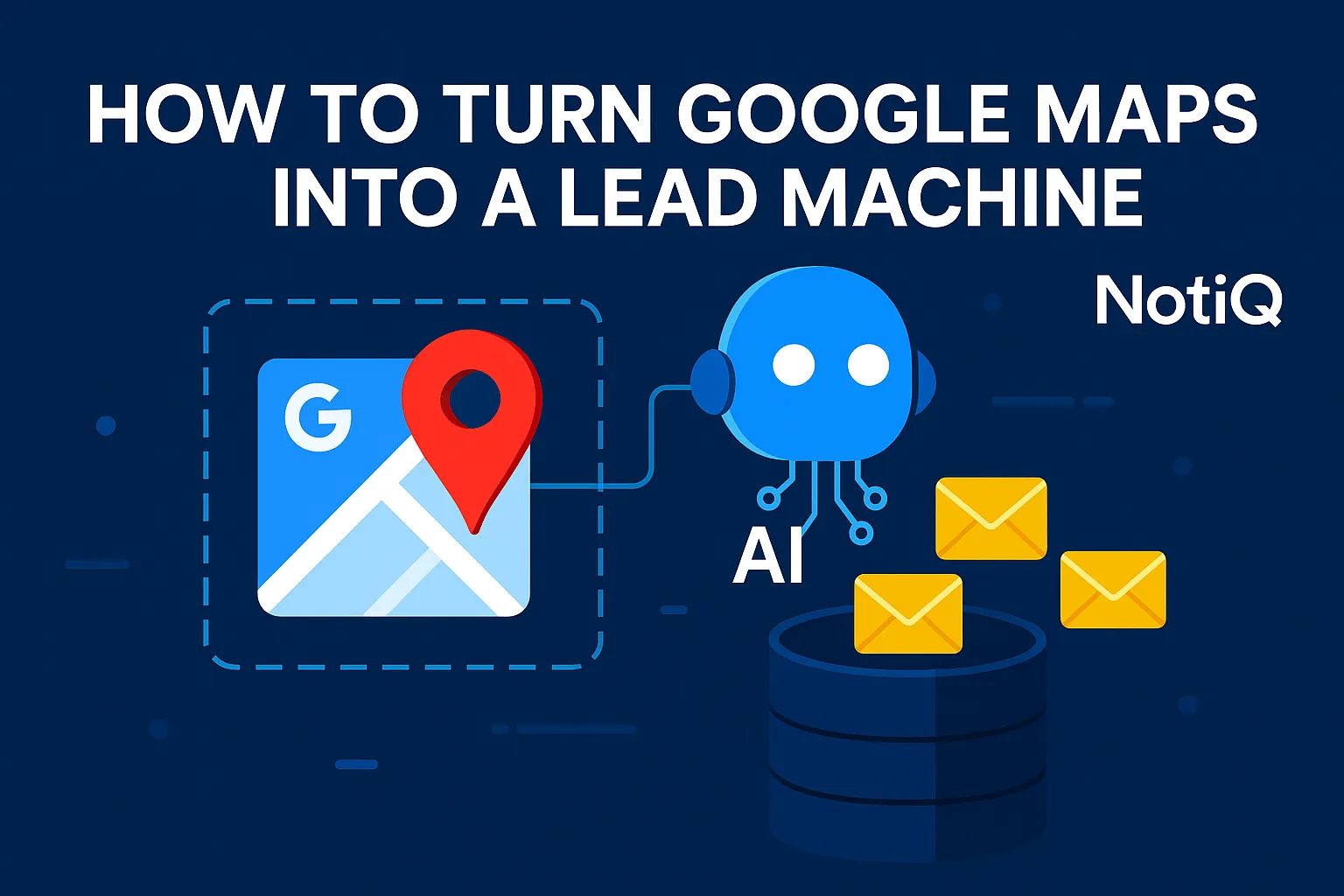
How to Turn Google Maps Into a Lead Machine Using AI (Step by Step)
Learn how to turn Google Maps into an automated AI-powered lead machine. This guide shows how to extract, enrich, and qualify leads at scale using modern automation workflows.
1. Introduction
For most agencies and B2B marketers, finding local leads feels like a digital scavenger hunt. You likely spend hours manually clicking through Google Maps, copying business names into a spreadsheet, and hunting for email addresses that often turn out to be generic "info@" inboxes. It is a slow, expensive, and largely unscalable process.
The problem isn't the lack of data—Google Maps is the world’s largest business directory—it’s the method of extraction. Manual sourcing or basic scraping tools usually stop at the business name and phone number, leaving you with incomplete profiles that are useless for personalized outreach.
There is a better way. By leveraging AI-powered automation, you can transform Google Maps from a passive directory into a dynamic lead machine. This guide covers a complete, end-to-end pipeline—from extraction to enrichment to automated outreach—using tools like n8n or Make. We will show you how to build a workflow that extracts thousands of leads, verifies their contact information, and personalizes communication at a fraction of the cost of traditional methods.
At NotiQ, we have spent over five years building AI-powered Google Maps workflows for agencies. We understand the nuance between simply "scraping data" and building a compliant, high-quality revenue engine.
2. Understanding the Landscape: Why Manual Google Maps Lead Generation Fails
The traditional approach to sourcing leads from Google Maps is fundamentally broken. Agency owners often assign junior staff or virtual assistants to manually search for "plumbers in Chicago" or "marketing agencies in London." This results in slow lookups, human error, and a lack of actionable contact data.
The core limitation is speed versus depth. A human can only verify a few dozen leads per hour. If you need to scale to hundreds of leads to hit your sales targets, the manual approach becomes a bottleneck that stifles growth. Furthermore, manual researchers often miss crucial details—like a business's specific services or recent reviews—that are essential for writing effective cold emails.
When B2B marketers rely on manual copy-pasting, they are paying for time, not results. In contrast, AI automation can process data in seconds that would take a human hours.
Responsible automation is key. As highlighted in University of Chicago guidelines on web scraping, ethical data collection focuses on publicly accessible information without overwhelming servers. By adhering to these standards, businesses can automate tedious tasks while maintaining integrity.
Discover how NotiQ automates your lead generation pipeline.
The Bottlenecks That Kill Scale
Scaling manual lead generation is mathematically impossible for most small to mid-sized teams. Once you attempt to source more than 200 leads per week, quality control vanishes.
• Inconsistent Data: Humans format phone numbers and addresses differently, breaking CRM imports.
• Missing Contacts: Google Maps rarely lists direct email addresses; finding them requires a second, manual search step.
• Duplication: Without automated checks, you waste money reaching out to the same business twice.
• Verification Lag: By the time a lead is manually verified, the opportunity for speed-to-lead is lost.
Why Most Scraper Tools Don’t Solve the Core Problems
Many agencies turn to off-the-shelf "Google Maps Scrapers" hoping for a quick fix. While these tools are faster than humans, they usually fail to solve the actual business problem.
Most scrapers extract raw data: Name, Address, Phone. They do not enrich that data with verified emails, nor do they qualify the lead based on your specific criteria. You are left with a massive CSV file of phone numbers that still requires hours of manual enrichment before you can launch a campaign. They solve the extraction problem but ignore the outreach problem.
3. How AI Automates Scraping and Enrichment (End‑to‑End)
To build a true lead machine, you need an integrated flow: Automated Scraping → AI Enrichment → Verification → Outreach.
Modern AI agents can handle these loops autonomously. Instead of a linear process where a human oversees every step, AI agents can extract data, visit the business website, determine if the lead fits your ideal customer profile (ICP), and find the decision-maker's contact info.
Research from Carnegie Mellon University on AI automation suggests that intelligent agents are increasingly capable of handling complex, multi-step workflows that previously required human cognition. This foundation allows us to build systems that don't just copy text, but "understand" the business they are analyzing.
AI-Powered Scraping: Extracting 100+ Leads in Seconds
AI-driven scraping goes beyond simple text extraction. It can intelligently navigate pagination, handle dynamic loading on Maps, and capture granular details like:
• Business Category and secondary categories.
• Exact location coordinates.
• Website URLs and social media links.
• Aggregate rating and review count.
Reliability is the primary gain here. Where a human might skip a row or mistype a URL, an automated system captures 100% of the available public data fields instantly.
Enriching Leads With Verified Emails Using AI
Raw Maps data rarely includes emails. This is where AI enrichment bridges the gap. The workflow proceeds as follows:
1. Website Discovery: The AI visits the URL found on Maps.
2. Pattern Recognition: It scans for "Contact Us" pages, team pages, or footer emails.
3. Validation: It cross-references found emails with verification APIs to ensure deliverability.
4. Attribute Filling: AI analyzes the site to determine industry, company size, and specific service offerings.
According to a National Institutes of Health (NIH) study on data scoring, automated validation significantly improves the accuracy of datasets used for decision-making. In lead generation, this means fewer bounced emails and higher domain reputation.
Automating Qualification, Scoring, and Deduplication
Not every business on Google Maps is a good lead. You don't want to pitch enterprise SEO services to a local corner store.
AI automates qualification by scoring leads based on:
• Niche Relevance: Does the business website mention specific keywords?
• Review Activity: Do they have enough reviews to suggest they are established?
• Tech Stack: Does their website use technology you integrate with (e.g., WordPress, Shopify)?
Finally, the system runs a deduplication check against your existing database to ensure you never pay to acquire the same lead twice.
4. Building a Full Workflow With Tools Like n8n or Make
The secret to a "hands-free" operation is orchestrating these steps using low-code automation platforms like n8n or Make (formerly Integromat). These tools allow you to connect different APIs—Google Maps extraction, email finding, and your CRM—into a single, continuous pipeline.
This approach democratizes high-tech lead gen. You do not need a team of developers; you simply need a blueprint.
Workflow Blueprint: From Query to Sheet/CRM
A standard automated pipeline follows this visual path:
1. Trigger: A scheduled timer runs the workflow (e.g., every Monday at 9 AM).
2. Input: The system pulls a search query (e.g., "Roofers in Dallas, TX") from a Google Sheet.
3. Scraper: An API extracts the top 100 results from Google Maps.
4. Enrichment: The data is passed to an enrichment tool to find emails and social profiles.
5. Filter: Leads without emails or low ratings are discarded.
6. Destination: Valid leads are pushed directly to your CRM or Cold Email Sender.
See how affordable automated workflows can be compared to expensive tool bundles.
Adding Outreach: Email + Multichannel AI Personalization
Once the data is in your system, AI can draft the outreach. By feeding the enriched data (industry, reviews, location) into an LLM (Large Language Model), you can generate highly personalized opening lines.
• Variable: "I noticed you have a 4.9-star rating but only 12 reviews."
• Variable: "Saw on your website that you specialize in emergency plumbing."
This level of granularity drastically improves response rates compared to generic templates.
Learn how to combine scraping with video prospecting for even higher engagement.
Ensuring Workflow Reliability and Compliance
Automation must be robust and ethical.
• Rate Limits: Configure your workflow to pause between requests to respect API limits and avoid errors.
• Error Handling: Set up "retry" routes in n8n/Make so that if a step fails, the data isn't lost.
• Compliance: Always adhere to data privacy laws (GDPR/CCPA) and platform terms.
Please refer to Google’s Maps Platform Acceptable Use Policy to ensure your data usage aligns with their terms of service. We strictly advocate for scraping public-facing data without logging into user accounts.
5. Comparing Google Maps Scraper Tools (Strengths & Gaps)
There are dozens of tools on the market, ranging from browser extensions to cloud-based SaaS platforms. Choosing the right one depends on whether you want raw data or a finished product.
What Most Tools Do Well
Dedicated scraper tools excel at extraction speed. They are designed to parse Google Maps HTML structure efficiently. They offer easy filtering options (e.g., "only show businesses with websites") and allow you to export data to CSV or Excel quickly. As market trends indicate, the demand for raw data extraction is high, and these tools serve that specific need well.
What Most Tools Are Missing (Where AI Fills the Gaps)
The gap lies in actionability. Most tools deliver a static list. They do not:
• Verify the email addresses (resulting in high bounce rates).
• Contextualize the business data for outreach.
• Automate the transition from "list" to "campaign."
Competitor analysis shows that while many tools promise "leads," they actually deliver "contacts." You still have to do the heavy lifting of qualification and messaging.
Why Full Workflow Automation Beats Single Scrapers
Building your own workflow using APIs and automation platforms is often superior to buying a single SaaS subscription.
• Cost: You pay only for usage, not a flat monthly fee for a seat.
• Flexibility: You can swap out the email finder or the scraper API if a better one comes along.
• Efficiency: The cost per lead drops significantly—often as low as $0.20 per 1,000 raw leads—when you cut out the middleman software.
6. Cost and Scale Benefits of AI-Driven Lead Gen
The economics of AI lead generation are transformative for agencies operating on tight margins.
Scaling to Thousands of Leads per Day
Manual teams hit a ceiling; software does not. With a properly configured workflow, you can scale horizontally. You can target every ZIP code in a state or every major city in a country simultaneously. By iterating through a list of location keywords, your AI agents can extract and process thousands of leads daily while you sleep.
The Real Economics: Pay-As-You-Go Extraction
When you build a custom workflow, you leverage "pay-as-you-go" pricing models.
• Scraping API: Costs roughly $1–$3 per 1,000 results.
• Email Enrichment: Costs roughly $0.005 per match.
• Verification: Costs fractions of a cent.
This brings the total cost of a fully enriched, verified lead to pennies, compared to purchasing lists which can cost $1.00+ per lead.
7. Real Case Studies & Expert Insights
Agency Example: Hyperlocal Niche Outreach
A digital marketing agency focused on HVAC companies used this workflow to target specific ZIP codes in the Midwest. By automating the extraction of businesses with low review counts (<10), they identified prime candidates for reputation management services.
• Result: They reduced lead sourcing time by 95% and generated $15k in new monthly recurring revenue (MRR) within 60 days.
B2B Team Example: Multi-City Scaling With AI Agents
A SaaS company selling booking software to hair salons needed to expand nationwide. They set up an n8n workflow that cycled through the top 50 US cities. The AI agent visited each salon's website to check if they were already using a booking widget.
• Result: The team filtered out 60% of unqualified leads automatically, allowing their sales team to focus only on salons using outdated contact forms.
8. Advanced Strategies & Innovations
AI Lead Research Agents That Run Endlessly
Advanced users are deploying "autonomous agents." These are scripts that don't just wait for a command but actively look for new businesses appearing on Maps in real-time. They monitor specific areas for "New" badges on listings, giving you the first-mover advantage.
Review Analysis + Website Analysis for Personalization
Using Large Language Models (LLMs), you can analyze thecontentof reviews.
• Prompt: "Summarize the negative reviews for this business."
• Outreach: "I noticed customers often complain about wait times at your clinic. Our software solves that..."
Multi-Tool Hybrid Scraping for Accuracy
For maximum data integrity, advanced workflows combine multiple sources. They might scrape Google Maps for the business list, then cross-reference with LinkedIn API to find the owner's name, and finally use a validation API to confirm the email.
9. Practical Toolkit (Checklists, Templates, Resources)
To get started, you need the right stack.
Workflow Checklist
1. Define ICP: Know exactly which categories and locations to target.
2. Select Scraper API: Choose a reliable provider for Maps data.
3. Select Enrichment Tool: Choose a service for finding emails.
4. Build Automation: Set up the flow in n8n or Make.
5. Connect CRM: Ensure data flows into your sales pipeline.
6. Test & Iterate: Run small batches to verify data accuracy.
Recommended Tools & APIs
• Scraping: Apify and Serper API are industry standards for reliable, developer-friendly scraping interfaces. They handle proxies and CAPTCHAs automatically.
• Automation: n8n (for self-hosted flexibility) or Make (for ease of use).
• Enrichment: Various APIs exist for email discovery; choose one that offers pay-per-match pricing.
10. Conclusion
The days of manual copy-pasting are over. By turning Google Maps into an automated lead machine, you move from scarcity to abundance. AI automation allows you to extract, enrich, and qualify leads at a scale and cost efficiency that manual research simply cannot match.
You now have the blueprint to build a pipeline that works for you 24/7. Whether you are an agency owner or a B2B marketer, the ability to generate your own high-quality data is a competitive superpower.
Ready to stop scraping and start scaling? Explore NotiQ for complete workflow blueprints and expert guidance on building your own automation engine.
Frequently Asked Questions
- How many leads can AI extract in one day?
- The volume is technically unlimited, constrained only by your budget and API rate limits. A standard workflow can easily process 5,000 to 10,000 leads per day. However, it is best to scale slowly to ensure your outreach channels (email/phone) can handle the volume without triggering spam filters.
- How does AI find verified emails from Google Maps data?
- AI does not "hack" Google Maps to find emails. Instead, it takes the website URL listed on the Maps profile, visits that website, and scans public pages for contact information. It then uses pattern matching and SMTP validation to verify that the email address is active.
- Which tools do I need to build this workflow?
- At a minimum, you need three components: 1. A Scraping API (like Serper or Apify) to get the Maps data. 2. An Enrichment API to find emails. 3. An Automation Platform (like n8n or Make) to connect them.
- How much does AI lead generation cost per month?
- Costs vary by volume, but a DIY AI workflow is significantly cheaper than buying leads. You can expect to pay roughly $20–$50/month for the automation software and variable costs of roughly $1–$5 per 1,000 fully enriched leads.
No previous article
Continue Reading
More articles you might find useful
How to Use Google Maps to Find Businesses With Weak Review Response Rates
Learn how to use Google Maps to spot businesses with weak review response rates, score the opportunity, and turn public signals into qualified local leads.
Read the article →
Google Maps Outreach for Creatives: Web Designers, Video Editors, Brand Studios
A beginner-friendly system for creatives to find local businesses on Google Maps, spot visible gaps, and send outreach that feels relevant instead of spammy. Learn how to turn simple research into steady local client opportunities.
Read the article →
How to Identify “High-Churn” Industries Using Google Maps Data (Outreach Goldmine)
Learn how to use Google Maps data to identify high-churn industries and uncover better outreach opportunities. This guide shows which signals to track, how to score churn, and when to prioritize a niche.
Read the article →