
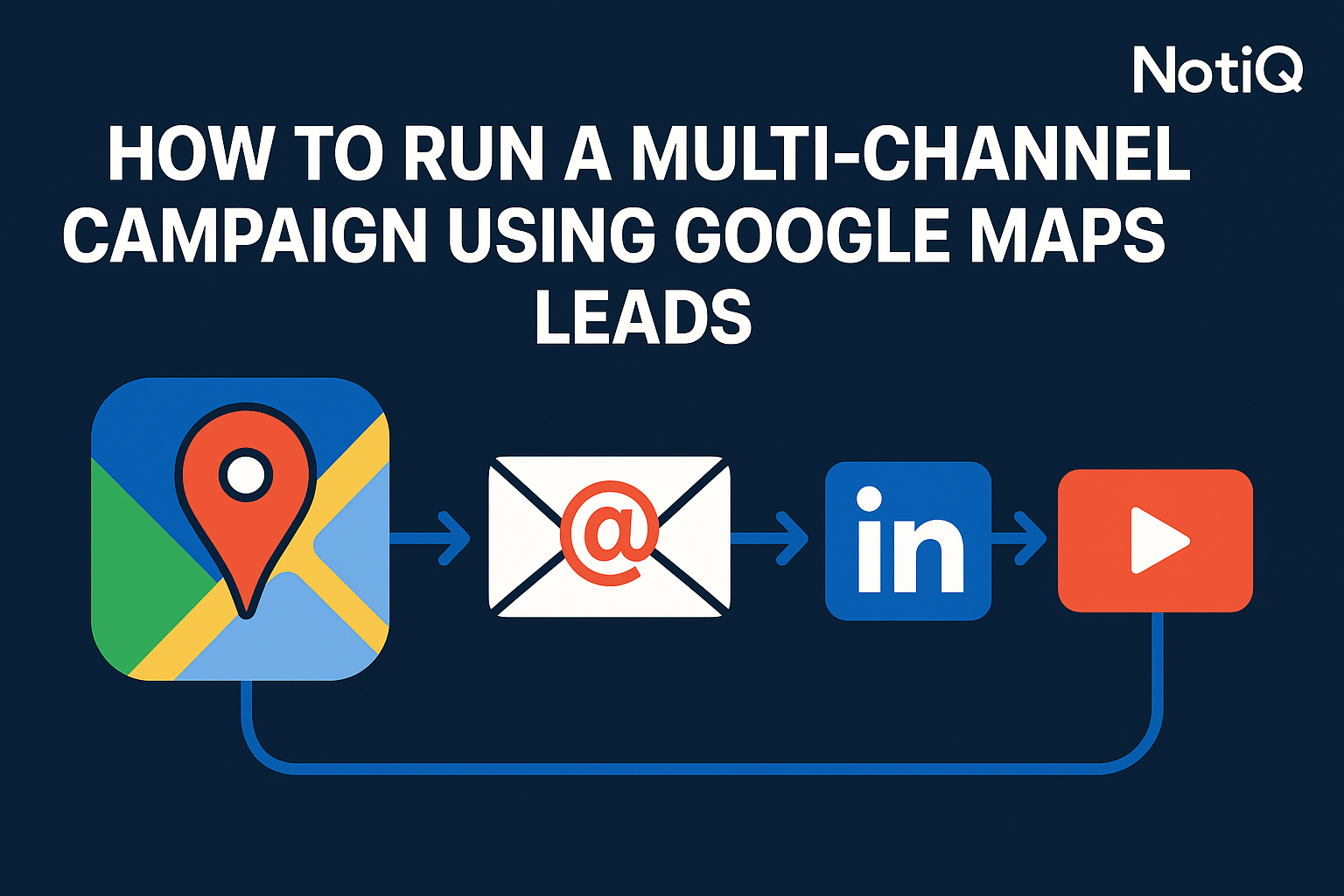
How to Run a High‑Converting Multichannel Outreach Campaign Using Google Maps Leads (Email + LinkedIn + Video)
Most sales teams treat Google Maps leads like a generic email list: they scrape thousands of contacts, blast them with identical cold emails, and then wonder why their open rates plummet and replies are non-existent.
The reality is that Google Maps data is raw. It is often comprised of generic info@ addresses, unverified contact details, and local business owners who are tired of low-effort spam. The real wins in google maps lead generation don't come from volume alone; they come from a structured, verified, and sequenced multichannel system.
To convert these leads, you must move beyond the "scrape and blast" mentality. You need a workflow that verifies data integrity, enriches lead profiles, and engages prospects across multiple touchpoints simultaneously.
This guide details a proven multichannel outreach maps workflow. We will cover how to combine email, LinkedIn, and personalized video into a cohesive omnichannel outbound strategy that builds trust and drives revenue. Drawing from NotiQ’s extensive experience building hybrid outreach systems, we will provide the exact timing, templates, and automation steps required to succeed.
Why Google Maps Leads Need a Multichannel Workflow
Google Maps is an incredible source of data for targeting local businesses, but it presents unique challenges compared to curated B2B databases. Leads from Maps are often "colder" because they haven't opted into a list, and their public contact information is frequently generic (e.g., a front desk email rather than a direct decision-maker).
Relying on a single channel—usually email—is a recipe for failure with Maps data. Email-only campaigns often land in spam folders or get ignored by gatekeepers. To break through, you need to build familiarity before you pitch. By integrating LinkedIn and video, you transform a cold lead into a warm prospect.
At NotiQ, we emphasize a systems-focused approach to outbound. We have found that layering channels significantly increases the likelihood of a response because it signals legitimacy. When a prospect sees your name in their inbox, then sees a profile view on LinkedIn, and finally receives a personalized video, you are no longer a stranger—you are a persistent, professional entity.
Why Multichannel Outperforms Single-Channel Email
Industry data consistently shows that multichannel campaigns outperform single-channel efforts by 200–300%. The logic is simple: channel diversification builds trust and captures attention where the prospect is most active.
- Trust Building: A prospect might ignore an email but accept a LinkedIn connection request. Once connected, your subsequent email carries more weight.
- Pattern Recognition: Seeing your brand across different platforms creates a "surround sound" effect. The prospect feels like they know you, even if they haven't replied yet.
- Resilience: If your email lands in a "Promotions" tab, a LinkedIn DM or a video link ensures your message is still seen.
An effective email linkedin video outbound sequence ensures that no single point of failure stops your campaign.
How Google Maps Intent Shapes Outreach Strategy
Local businesses found via google maps scraping leads operate differently than SaaS companies or large enterprises. Their intent is often immediate and service-based.
- Roofers and Contractors: They are often in the field. They might not check email until the evening, but they live on their phones. SMS or a mobile-friendly video works best.
- Dentists and Medical Practices: Gatekeepers (receptionists) manage the
info@email. You need to bypass them via LinkedIn or by enriching the data to find the owner's direct email. - Salons and Retail: Visuals matter. A personalized video showing you understand their brand aesthetic converts higher than text.
Understanding these nuances allows you to tailor your multichannel outreach maps strategy to the specific behaviors of the niche you are targeting.
How to Scrape, Verify, and Enrich Google Maps Leads
A high-converting campaign starts with clean data. You cannot build a sophisticated house on a crumbling foundation. The pipeline for Google Maps leads must follow a strict three-step protocol: Scrape, Verify, and Enrich.
This process ensures you are contacting the right people and complying with data regulations.
Step 1 — Scrape Google Maps (Safely and Efficiently)
Scraping Google Maps involves extracting public data—business names, addresses, phone numbers, and websites—based on specific keywords and locations. However, manual copying is impossible at scale.
To do this efficiently, you need automation tools that can handle geo-targeting and category filtering. You want to filter for businesses that are active (recent reviews), have a website (indicates digital maturity), and fit your serviceable area.
For robust scraping automation, tools like ScaliQ provide the infrastructure to extract google maps scraping leads accurately without triggering anti-bot measures. These tools allow you to structure raw map data into a usable CSV format ready for the next stage of the pipeline.
Step 2 — Verify Emails to Avoid Bounce & DMARC Issues
Raw data from Google Maps is notorious for deliverability issues. Many businesses list defunct emails or generic addresses that hard bounce. High bounce rates will destroy your sender reputation and get your domain blacklisted.
You must verify every single email address before sending.
Tools like NeverBounce or ZeroBounce should be integrated directly into your workflow. If an email returns as "Invalid" or "Risky," remove it immediately. This step is also crucial for compliance. Sending unsolicited emails to invalid addresses is a signal of spamming behavior.
For guidance on maintaining compliant email practices, refer to the FTC's CAN-SPAM Act Compliance Guide for Business. Adhering to these standards helps you avoid deliverability issues scraped leads and keeps your outreach legal.
Step 3 — Enrich Leads for Personalization & Segmentation
Scraping gives you a business name; enrichment gives you a prospect. You cannot effectively personalize video at scale if you don't know who you are talking to.
Use enrichment tools (Clay is a leading authority in this space) to waterfall your data. Take the business domain found on Maps and query other databases to find:
- Owner/Founder Name: Move past "To Whom It May Concern."
- Tech Stack: Do they use WordPress or Shopify?
- Social Profiles: Find the owner's LinkedIn URL.
This enriched data allows you to segment your list. For example, you can create a specific campaign for "Dentists in Chicago using WordPress" rather than a generic "Dentists" blast.
The Ideal Email + LinkedIn + Video Sequence
Once you have verified, high-quality data, you need to orchestrate the outreach. The goal is not to annoy the prospect but to provide value through a logical email linkedin video outbound sequence.
A typical high-performing sequence lasts 10–14 days and uses a "soft touch" approach before asking for a meeting.
Phase 1 — LinkedIn Soft Warm-Up (Days 1–3)
Do not pitch immediately. Use LinkedIn to put your face on their radar.
- Day 1: Visit the prospect's LinkedIn profile. (They will get a notification: "X viewed your profile").
- Day 2: Follow them or send a connection request with a blank or very low-friction note (e.g., "Hi [Name], seeing great work from [Company] in the [City] area. Would love to connect.").
- Day 3: Like or comment on a recent post if available.
This phase warms up your identity for linkedin plus email campaigns, making your name familiar when it lands in their inbox.
Phase 2 — Email Sequence with Progressive Personalization (Days 3–10)
Now that you are a familiar face, start the email conversation.
- Email 1 (Day 3): The Value-First Intro.
- Subject: Question regarding [Company Name]
- Body: Keep it under 75 words. Mention a specific observation based on your enrichment (e.g., "Saw you're running ads in [City]"). Ask if they are handling it in-house.
- Email 2 (Day 6): The Case Study.
- Body: "We helped a similar business in [City] achieve [Result]. thought this might be relevant to you."
- Email 3 (Day 10): The Soft CTA.
- Body: "Are you open to a brief chat next week, or is this not a priority right now?"
This structured email outreach multi-channel approach respects their time while persistently offering value.
Phase 3 — Personalized Video Follow-Up (Days 8–14)
Text can be ignored; video is harder to overlook. Video builds massive trust because it proves you are a real human, not a bot.
- The Script: "Hey [Name], I audited your website and noticed X. I made a 30-second video showing how you can fix it."
- The Thumbnail: Use a tool that generates a dynamic GIF thumbnail with their website background to increase click-through rates.
To execute this efficiently, you need AI video personalization tools like RepliQ. These tools allow you to record one base video and use AI to lip-sync and voice-clone the prospect's name and website URL, allowing you to personalize video at scale without recording 1,000 individual clips.
Phase 4 — LinkedIn DM + Voice Note After Video
If they haven't replied to the video email, send a LinkedIn DM.
- Script: "Hey [Name], sent you a video breakdown via email yesterday. Just wanted to make sure it didn't land in spam. Let me know if you want the link here."
- Voice Note: If you are connected, send a 15-second voice note. It is the highest-converting touchpoint on LinkedIn because it is impossible to automate authentically.
Automation Playbooks and Workflow Examples
Orchestrating google maps scraping automation workflow steps across three channels requires a robust tech stack. You cannot do this manually. You need a central "air traffic control" system.
Platforms like NotiQ specialize in this orchestration, allowing you to trigger actions in one channel based on behavior in another.
Workflow Example 1 — Simple 3-Channel System
This is the best starting point for multichannel outreach maps campaigns.
- Trigger: New Lead Verified.
- Action 1: Automated LinkedIn Profile View.
- Wait: 2 Days.
- Action 2: Send Email 1.
- Wait: 3 Days.
- Action 3: Send Email 2 (with Video Link).
- Action 4: If no reply, task created for LinkedIn Connection Request.
Workflow Example 2 — Advanced Conditional Logic System
This workflow uses "If/Then" logic to prioritize high-intent leads.
- Send Email 1.
- Condition: Did they open the email more than twice?
- YES: Trigger "Hot Lead" alert to sales team → Manual Call or LinkedIn Voice Note.
- NO: Continue to automated Email 2.
- Condition: Did they click the link in Email 2?
- YES: Send specific case study video related to that link topic.
- NO: Move to "Break-up" email sequence.
Workflow Example 3 — High-Volume Agency Workflow
For agencies managing thousands of leads, segmentation is key.
- Inboxes: Use rotating domains (e.g.,
sender@agency-outreach.com,sender@agency-updates.com) to protect the primary domain. - LinkedIn: Rotate between multiple SDR profiles to keep daily connection limits safe.
- Video: Use AI generation for the first touch, reserving manual Loom videos only for prospects who reply.
Avoiding Deliverability, Compliance, and Personalization Pitfalls
Scaling omnichannel outbound campaigns introduces risks. If you are aggressive without being compliant, you risk legal trouble and technical failure.
Deliverability Rules for Scraped Leads
Because google maps scraping leads are "cold," they have higher spam complaint rates.
- Throttling: Start slow. Send 20 emails/day per inbox, ramping up to 50 max.
- Technical Setup: Ensure DKIM, SPF, and DMARC records are perfectly configured.
- Rotation: Never send cold outreach from your primary corporate domain (e.g.,
@yourcompany.com). Buy secondary domains (e.g.,@yourcompany-growth.com) and redirect them.
Compliance & Legal Considerations
You must adhere to regulations like CAN-SPAM (US) and GDPR (Europe). This is non-negotiable.
- Opt-Out: Every email must have a clear, easy way to unsubscribe.
- Identification: You must identify your message as an advertisement and include your physical postal address.
- Intent: Only contact businesses where your offer is legitimately relevant (Legitimate Interest).
For authoritative guidance, review these resources:
Personalization Mistakes With Maps Leads
Don't use "fake" personalization. Prospects know when you are automating.
- Bad: "I saw your 5-star review on Google." (Everyone sees this; it means nothing).
- Good: "I noticed you specialize in [Specific Service from Maps Category] but aren't ranking for [City] keywords."
- Bad: "I love your website."
- Good: "I saw your site is built on WordPress, which makes implementing [Solution] easy."
Future Trends & Expert Predictions for Multichannel Maps Outbound
The future of google maps lead generation is dynamic. Static lists are dying; real-time data is taking over.
- AI Video at Scale: We will see a shift where every initial outreach email contains a hyper-personalized AI video, making text-only emails obsolete for cold outreach.
- Cross-Channel Triggers: Outreach platforms will integrate deeper with ad platforms. If a prospect opens your email, they might automatically be added to a LinkedIn Retargeting audience.
- Real-Time Enrichment: Instead of pre-scraping, agents will scrape and enrich a lead the moment a trigger event happens (e.g., a business posts a "Now Hiring" update on Google Maps).
Conclusion
Running a high-converting multichannel outreach maps campaign requires more than just a list of phone numbers. It demands a sophisticated blend of data hygiene, strategic sequencing, and authentic personalization.
By moving from a "spray and pray" email approach to a verified email linkedin video outbound sequence, you drastically increase your chances of starting conversations with local business owners. The workflow is clear: Scrape responsibly, verify relentlessly, warm up on LinkedIn, and convert with video.
If you are ready to build a system that orchestrates these complex workflows automatically, explore how NotiQ can centralize your outbound operations and turn cold Maps data into revenue.
FAQ
Frequently Asked Questions
Q: How many channels should I use for Google Maps leads?
We recommend a minimum of three channels: Email, LinkedIn, and Video. This "triad" creates enough touchpoints to build familiarity without becoming annoying.
Q: Do I need to verify emails scraped from Maps?
Yes, absolutely. Google Maps data often contains old or invalid emails. Failing to verify them will result in high bounce rates, which damages your sender reputation and can get your domains blacklisted.
Q: What is the best order of channels?
The most effective sequence is usually: LinkedIn Warm-up (View/Connect) → Email 1 (Value) → Email 2 (Follow-up) → Personalized Video → LinkedIn DM.
Q: Can I automate the entire system?
Yes. Using tools like ScaliQ for scraping, Clay for enrichment, and NotiQ for orchestration, you can automate 90% of the workflow. However, keep the final video or voice note semi-personalized for the best results.
Q: How do I personalize videos at scale?
You can use AI video tools that clone your voice and lip movements. You record one script, and the software automatically inserts the prospect's name and website background into the video for each unique lead.
.svg)

